
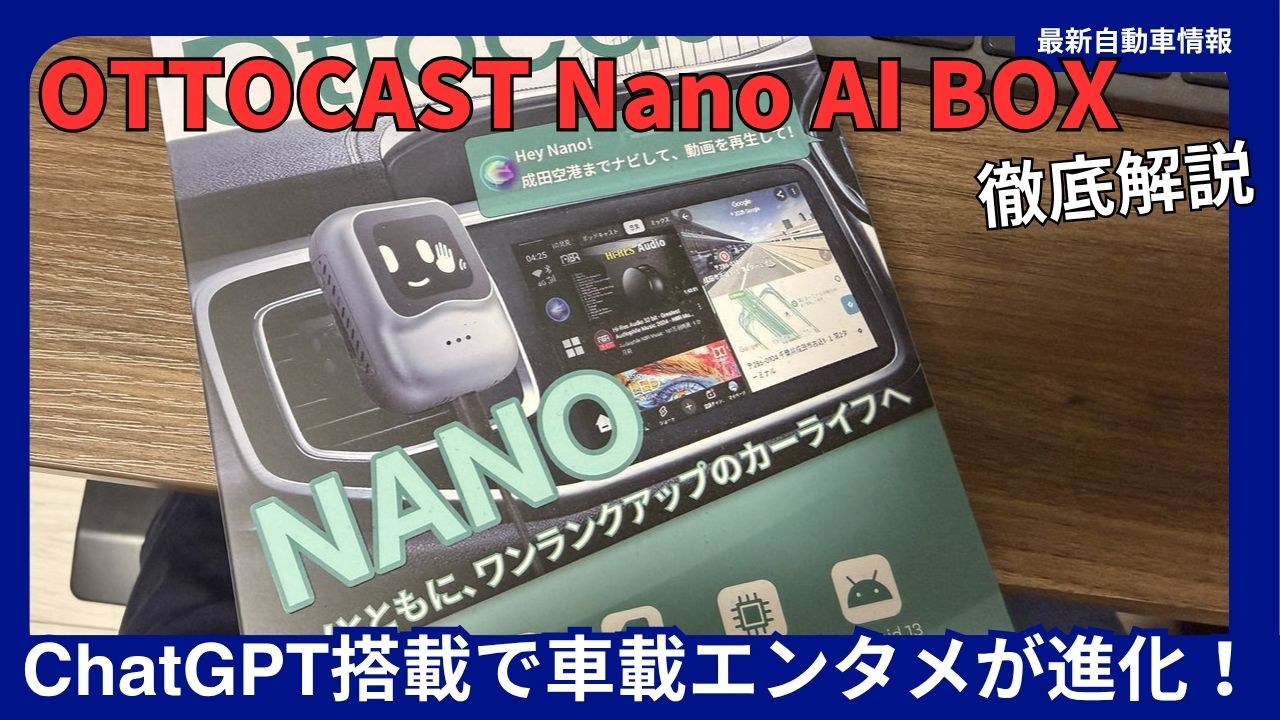
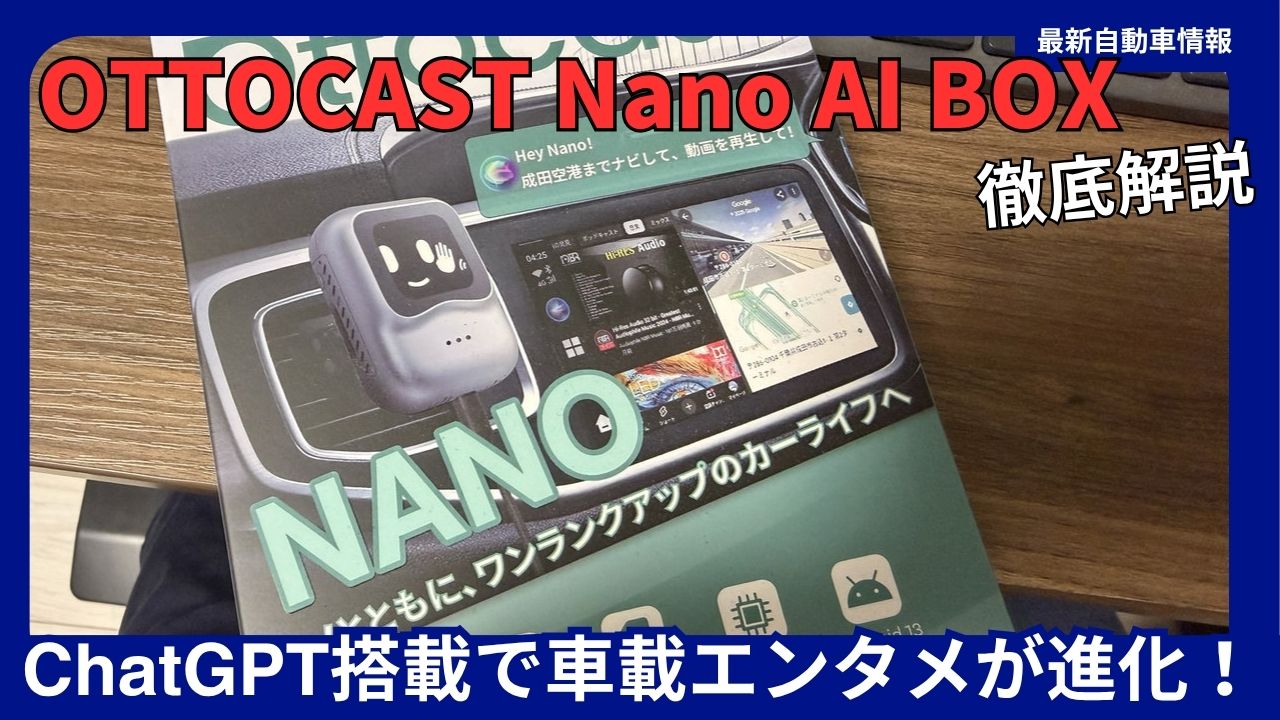
Have you ever wanted to enjoy YouTube, Netflix, and Amazon Prime Video on your car’s original navigation system? The OTTOCAST Nano AI BOX is an innovative AI box that transforms your original car navigation system into a high-performance Android tablet simply by connecting it to a USB port.
Transform your car’s original navigation system into a tablet with an AI assistant
This latest model, released in 2025, is a major evolution of its predecessor, the OTTOCAST P3. It comes standard with ChatGPT-4 , enabling natural voice interaction and app operation. This article provides a thorough explanation of the OTTOCAST Nano AI BOX’s features, advantages, disadvantages, and installation instructions, based on a review of actual usage.
What is OTTOCAST Nano AI BOX? Basic specifications and features
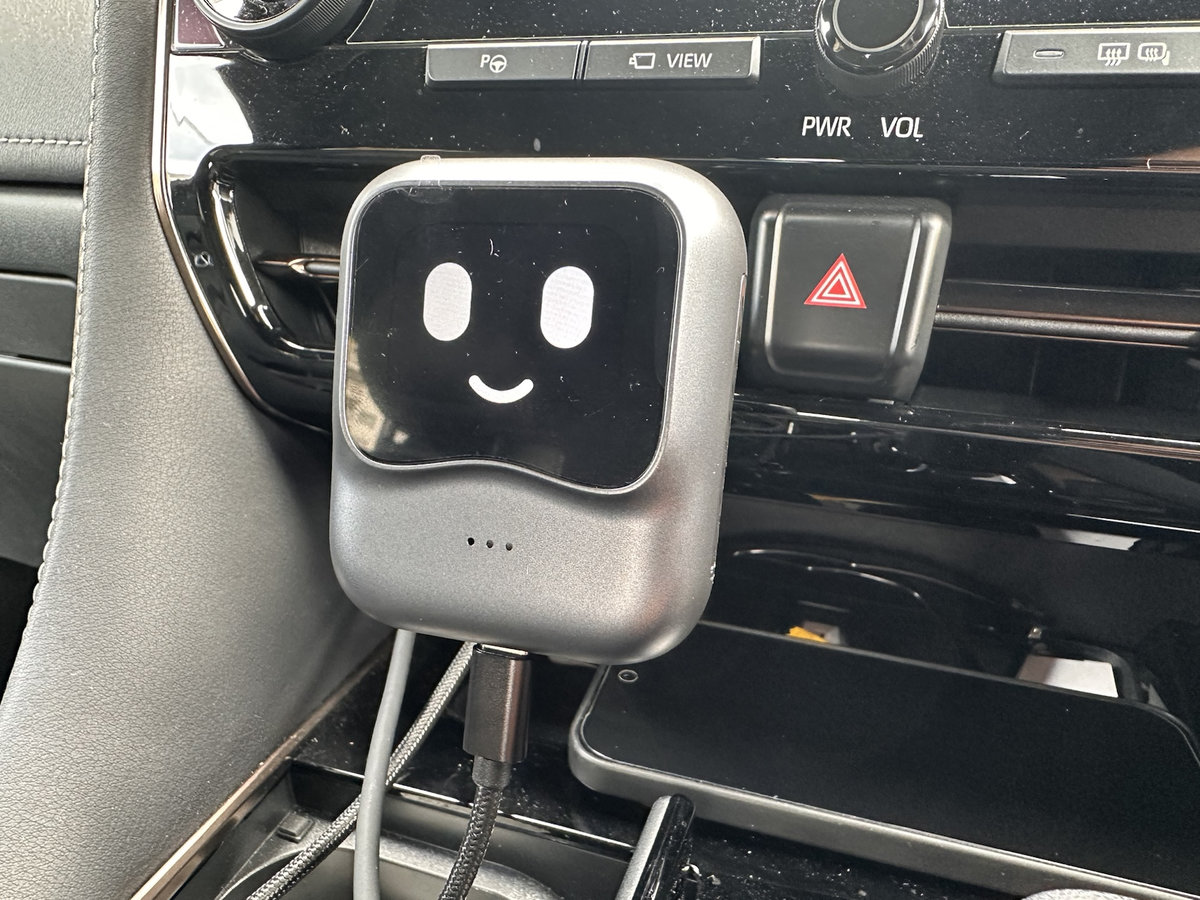
OTTOCAST Nano AI BOX
Product overview
The OTTOCAST Nano AI BOX is a device that adds Android OS functionality to your original car navigation system that supports wired CarPlay. No complicated wiring is required; installation can be completed in about 5-10 minutes by simply connecting the included USB cable.
Main specifications list
| item | OTTOCAST Nano AI BOX | OTTOCAST P3 (previous model) |
|---|---|---|
| OS installed | Android 13 | Android 12 |
| CPU (SoC) | Qualcomm Snapdragon SM6225 (2.4GHz) | Snapdragon SM6125 (2.0GHz) |
| Memory (RAM) | 8GB | 8GB |
| Storage (ROM) | 128GB | 128GB |
| AI Assistant | Original AI “Nano” + ChatGPT-4 installed as standard | Google Assistant (needs to be added) |
| Sub-display | Equipped with a 1.83-inch OLED display | none |
| Communication Function | Cloud SIM compatible | SIM card/tethering only |
| HDMI output | Not supported | Supported (Mini HDMI) |
| Installation method | For air conditioner outlet installation only | Freestanding type (separate fixing required) |
| Compatible models | Over 98% of vehicles support wired CarPlay | Over 98% of vehicles support wired CarPlay |
| Price range | Approximately 52,000 to 60,000 yen | Approximately 40,000 to 50,000 yen |




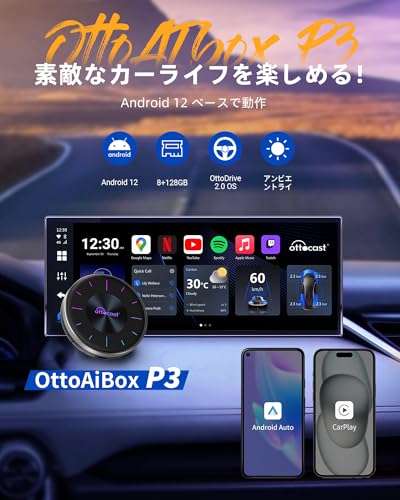


Main differences from the previous model
- Significantly enhanced AI assistant functionality : ChatGPT-4 is now included as standard, enabling natural language conversations
- Latest hardware : New CPU (SM6225) and Android 13 improve processing speed
- Sub-display : 1.83-inch expressive display provides visual feedback
- Cloud SIM compatible : Internet connection possible without tethering or a SIM card
- Optimized heat dissipation design : Air conditioner outlet mounting + 3-sided heat dissipation structure for long-term stable operation
- HDMI output abolished : Rear seat monitor output is no longer possible (prioritizing cost reduction and compactness)
The biggest appeal of OTTOCAST Nano AI BOX: Two types of AI assistant functions
Original AI “Nano” | Specialized app operation assistant
Nano, a proprietary AI assistant developed exclusively for OTTOCAST Nano, specializes in intuitive app operation via voice commands .
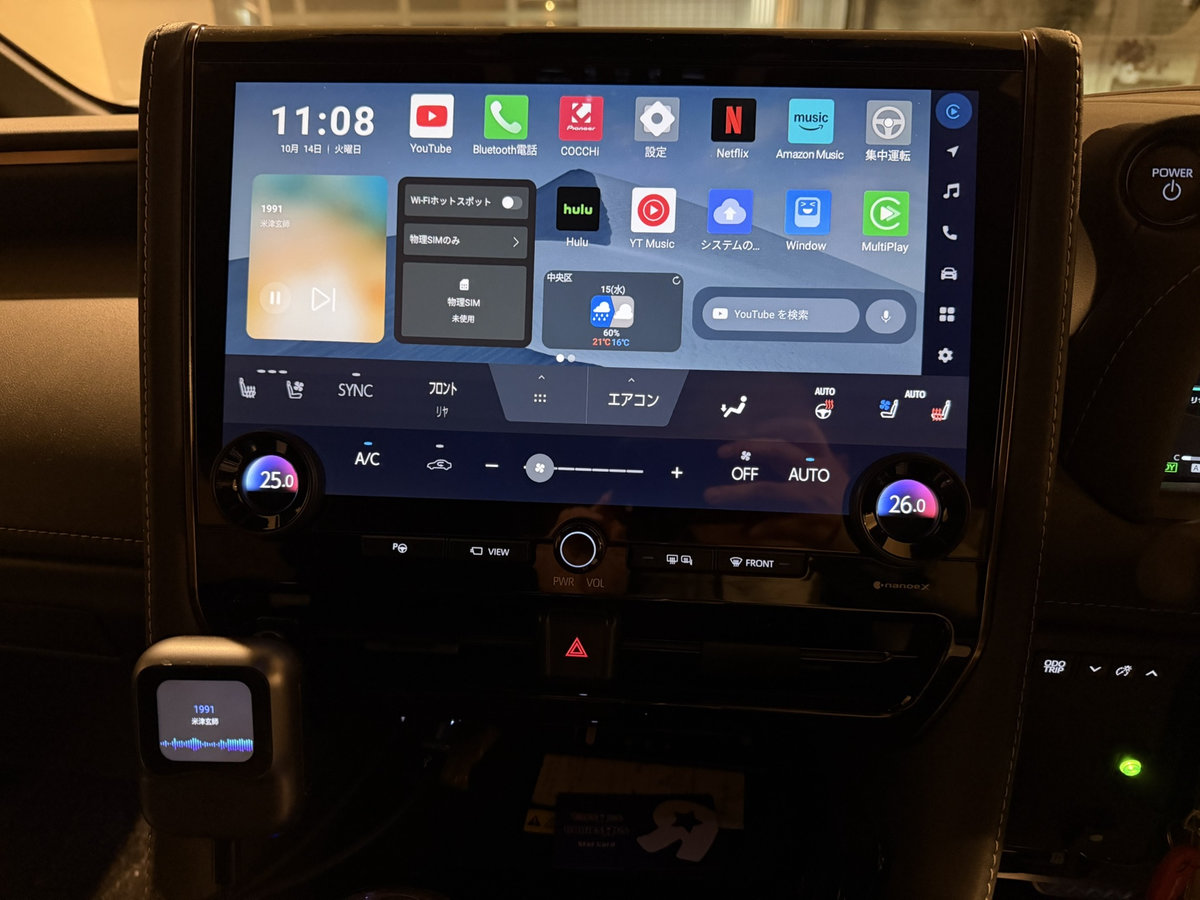
OTTOCAST Nano AI BOX
How to start and examples of use
Activation word : “Hey Nano”
Main voice commands :
- “Guide me to XX” → Start route guidance on Google Maps
- “Play XX video on YouTube” → Launch YouTube and play video
- “Next song” “Previous song” → Music playback control
- “Volume up/down” → Volume adjustment
- “Make the screen brighter/dim” → Adjust screen brightness
Nano’s features and limitations
merit :
- Everything from launching the app to operating it is done entirely with voice.
- Compatible with major apps such as Google Maps, YouTube, and music apps
- Japanese voice recognition accuracy is good
Cons :
- Commands are strict : commands must be spoken exactly as they are in the standard format; they will not be recognized.
- Does not handle variations in language (e.g., “I want to go to XX” or “Take me to XX”)
- Limited number of compatible apps (expanded in future updates)
- No web searches or question-answering
ChatGPT-4 | Conversational Generative AI Assistant
The world’s most advanced generative AI, “ChatGPT-4,” is included as standard, allowing it to generate natural-sounding answers to a wide range of questions and casual conversations .
How to start and examples of use
Activation word : “Hey GPTT”
Usage scenarios :
- “What’s the weather like in XX prefecture this weekend?” → Search for weather information and answer
- “Tell me about the best tourist spots in XX” → Answer by summarizing tourist information
- “Say something funny” → Entertain your fellow passengers with jokes and small talk
- “Explain about ○○” → Knowledge search and learning support
Features and limitations of ChatGPT-4
merit :
- Handles complex questions and ambiguous expressions
- Understanding the context of conversation enables natural dialogue
- Drawing information from a broad knowledge base
- Educational use that answers children’s “why” questions
Cons :
- No app operation is possible : music playback and navigation settings are not possible
- Risk of hallucination (generating misinformation)
- Internet connection required (not available offline)
- GPT-4 information is only available up to April 2023 (limited up-to-date information)
Two AI strategies
| the purpose | Recommendation AI | reason |
|---|---|---|
| Navigation destination setting | Nano | Direct operation of Google Maps |
| Video and music playback | Nano | Consistent operation from app launch to playback |
| Tourist information search | ChatGPT-4 | Summarize web search results and provide answers |
| Chatting and killing time | ChatGPT-4 | Enjoy your drive with natural conversation |
| Child’s partner | ChatGPT-4 | Answer questions and play games |
Important note : The two AIs operate independently, which can interrupt the flow of conversation . For example, if you want to set navigation to a tourist spot after hearing about it through ChatGPT-4, you must end the conversation with ChatGPT-4 and then say “Hey, Nano” again to set the destination.
Advantages of OTTOCAST Nano AI BOX | 7 advantages discovered through actual use
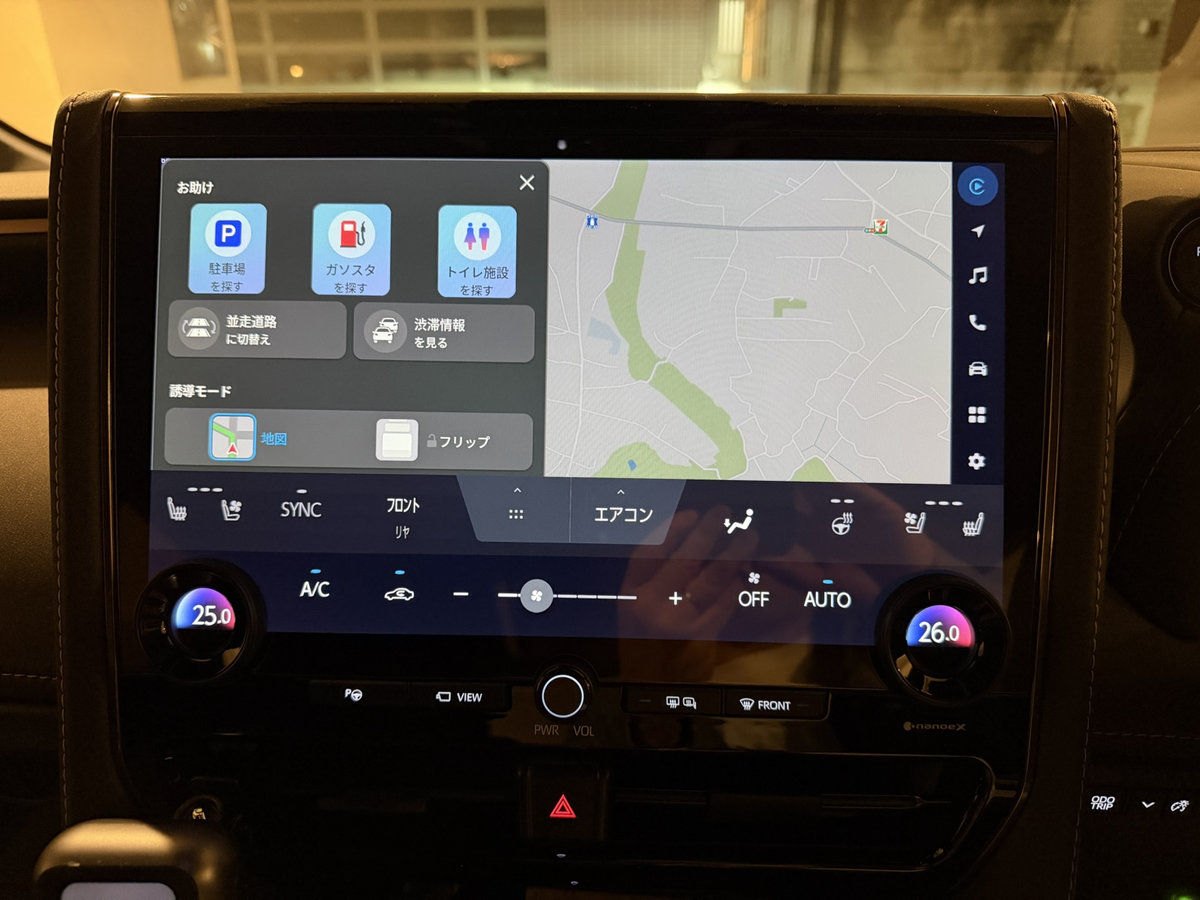
OTTOCAST Nano AI BOX
1. “The driving experience of the future” realized through voice and AI
The biggest appeal is that you can safely operate it using only your voice while driving . With conventional CarPlay and Android Auto, you had to touch the screen to set a destination or play videos, but with the OTTOCAST Nano, you can do it all with just voice commands.
Practical example :
- While driving long distances on the highway, safely change your destination by saying, “Hey, Nano, take me to the next service area.”
- Get information while stuck in traffic by listening to “Hey, GP, what’s on the news today?”
- A child asks, “Why is the sky blue?” -> “Hey GP, explain to me in a way that a child can understand why the sky is blue” is an educational response
2. Expressive sub-display creates a “partner-like” feel
The facial expressions of the AI character displayed on the 1.83-inch OLED display bring a sense of life to this otherwise inorganic gadget.
Customizable display content :
- AI character facial expressions (multiple presets available)
- Analog/digital clocks (many luxurious designs)
- Music playback information (artist name and song title)
- Equalizer-style visualizer
Practical benefits :
- Even in vehicles where music information is not displayed on the original navigation system, it can be checked on the sub-display.
- Clock display adds a touch of luxury to your dashboard
- Visual feedback during speech recognition lets you see at a glance whether the AI is listening
3. Freely use smartphone apps such as YouTube and Netflix on the in-car display
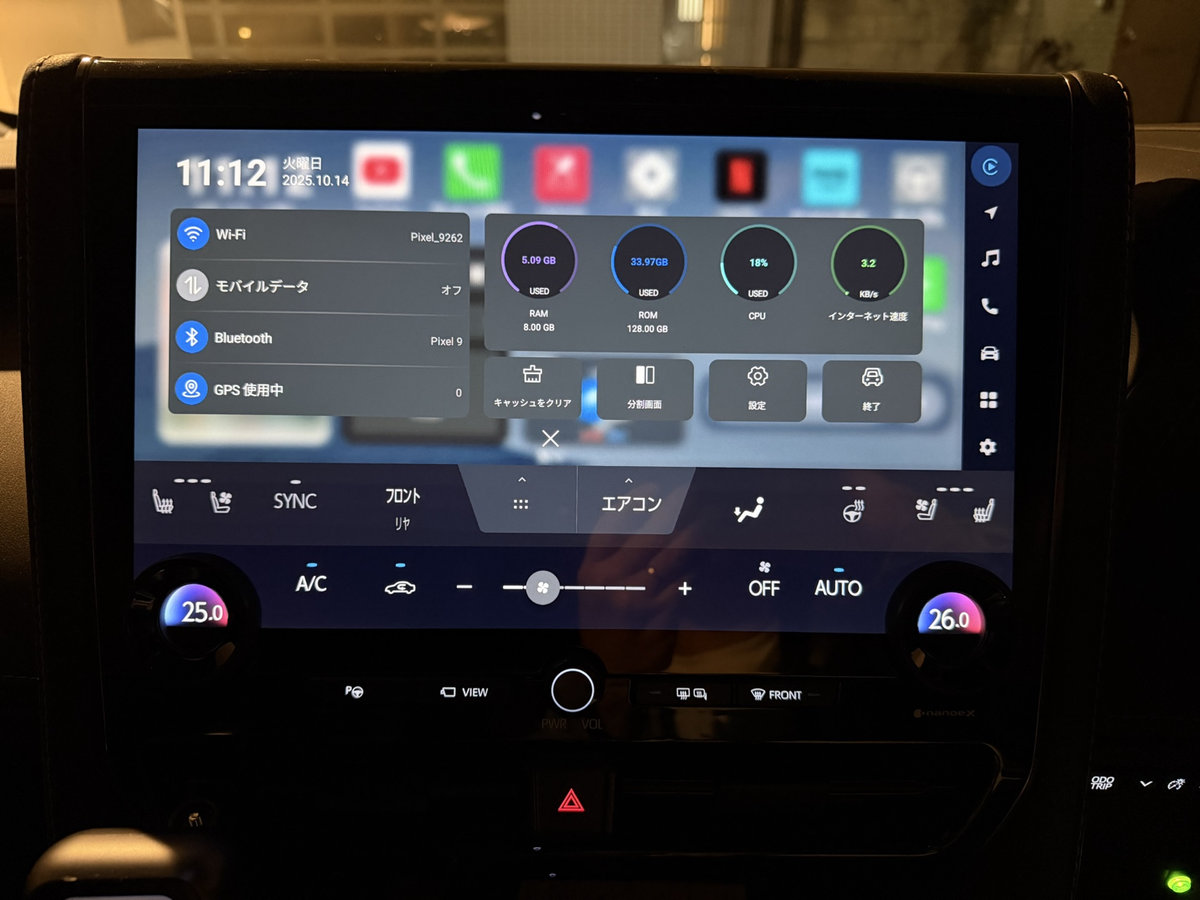
OTTOCAST Nano AI BOX
With Android 13, you can freely install apps from the Google Play Store .
Key apps that can be used :
Video streaming services :
- YouTube, YouTube Premium (ad-free viewing)
- Netflix, Amazon Prime Video, Hulu, Disney+
- ABEMA, TVer, GYAO!
Music Streaming :
- Spotify, Apple Music, Amazon Music
- YouTube Music (supports lyrics and music video display)
- LINE MUSIC, AWA
Navigation :
- Google Maps, Yahoo! Car Navigation
- NAVITIME, MapFan
Social Media/Communication :
- X (formerly Twitter), Instagram, Facebook
- LINE (check messages)
2 screen split display :
- 5:5 (equal left and right)
- 7:3, 3:7 (switching between main and sub screens)
- Example: Google Maps on the left, passenger watching a video on YouTube on the right
4. Easy for anyone! Installation can be completed in about 10 minutes
No specialized knowledge is required; anyone with digital literacy sufficient to use a smartphone can install it.
Installation Instructions :
- Fix the Nano unit to the air conditioner outlet (ball joint attachment)
- Connect the cable to your car’s USB port (Type-A to Type-C adapter included)
- Automatically starts as a CarPlay connected device when the engine starts
- Follow the on-screen instructions to complete the initial setup (language/region selection, Wi-Fi/SIM settings)
- Install the necessary apps from the Google Play Store
Full range of accessories :
- USB cable (Type-A to Type-C)
- Y-shaped power branch cable (for older models)
- Type-A to Type-C conversion adapter
- Cable fixing clip (with double-sided tape)
- Japanese instruction manual + AI voice assistant usage guide
You don’t need to take it to a dealer or car accessory store , so you can save on installation costs.
5. Stress-free operability thanks to the latest CPU and OS
OTTOCAST Nano AI BOX
With the Snapdragon SM6225 (2.4GHz) and Android 13 , it delivers smooth performance comparable to that of a smartphone.
Performance improvements you can experience :
- System boot time reduced by 5 to 10 seconds compared to the previous model
- Almost no delay in response to screen touches or scrolling
- Operation does not slow down even when using two-screen split display
- Smooth app switching
Benchmark Comparison :
| operation | P3 (SM6125) | Nano (SM6225) |
|---|---|---|
| Startup time | Approximately 20 seconds | Approximately 10-15 seconds |
| YouTube 4K playback | Occasional stuttering | Completely smooth |
| App Switching | 0.5 to 1 second delay | Virtually no delay |
| When displaying 2 screens | Slightly heavy | Lightweight |
6. Highly efficient heat dissipation design ensures stable operation for extended periods of time
A unique heat dissipation design solves the common AI BOX issue of unstable operation due to thermal runaway .
3-sided heat dissipation structure + air conditioner cooling :
- Heat exhaust slits are located on the top, sides, and back of the main body
- By attaching it to the air conditioner outlet, forced cooling by cold air is achieved.
- Suppresses temperature rise even under high load (such as simultaneous display of video and navigation)
Actual measurement data (2 hours of continuous playback of YouTube full HD video):
- Outside temperature 30℃, air conditioner set to 25℃
- Body surface temperature: Maximum 45°C (P3: around 55°C)
- Forced restart: 0 times (P3 occurred 1-2 times)
Improved long-term reliability :
- Safe for long-distance driving in the summer
- Extending the life of the device
- Reduced risk of breakdown
7. Cloud SIM support for easy internet connection
The biggest new feature of the OTTOCAST Nano is its cloud SIM support . You can communicate using just the Nano itself, without the need for smartphone tethering or in-car Wi-Fi.
Cloud SIM benefits :
- No physical SIM card required (eSIM technology)
- Automatically connects to the best line from the signals of three carriers: au, docomo, and Softbank
- No smartphone battery consumption
- No hassle with tethering setup
Pricing plan example (one-time purchase, no automatic renewal):
- 1GB/30 days: 699 yen
- 5GB/30 days: 1,299 yen
- 30GB/90 days: 3,050 yen
- 120GB/365 days: 9,970 yen
First-time purchase bonus : 1GB free coupon included (trial available)
Comparison with tethering :
| item | Cloud SIM | Smartphone tethering |
|---|---|---|
| Setup time | Auto-connect | Need to turn ON/OFF every time |
| Communication stability | 3 Carrier Automatic Switching | Depends on the smartphone signal |
| Smartphone battery | No impact | Large consumption |
| Data capacity | Additional purchases | Dependence on smartphone plan |
| Monthly fee | Only what you use | Depends on smartphone plan |
Recommended usage :
- If you have sufficient monthly data capacity, use tethering (no additional cost)
- For those who are short on data capacity → Cloud SIM
- For those who often use the SIM in areas where it is difficult to connect → Cloud SIM
- For those who prioritize convenience → Cloud SIM
Disadvantages of OTTOCAST Nano AI BOX | 5 Cons You Should Know Before Buying
1. It’s more expensive than other AI BOXes
Market price : Approximately 52,000 to 60,000 yen (as of October 2025)
Competitive price comparison :
| Product name | price | Price difference |
|---|---|---|
| OTTOCAST Nano AI | Approximately 60,000 yen | standard |
| OTTOCAST P3 | Approximately 50,000 yen | -10,000 yen |
| CarlinKit Tbox Ambient | Approximately 40,000 yen | -20,000 yen |
| CarlinKit Tbox Plus | Approximately 35,000 yen | -25,000 yen |
Reasons and justification for the high price :
- ChatGPT-4 license fee
- Cost of the secondary display
- Adopts the latest CPU (SM6225)
- Cloud SIM function included
- Highly efficient heat dissipation design
People who should consider purchasing :
- Those who want to experience the latest technology first
- Those who are attracted to AI voice control
- Those who value stable operation over long periods of time
- Those who often drive long distances with children
If you’re looking for cost-effective alternatives :
- OTTOCAST P3: Almost the same specs as the Nano, AI functionality can be added with an app
- CarlinKit Tbox Ambient: A budget-friendly model with a focus on basic functionality
2. Restrictions on compatible vehicle models | Check before purchase
Required conditions :
- The vehicle must be equipped with a wired CarPlay compatible car navigation system.
- The air conditioner outlet has a standard shape.
- Touch panel operation is recommended (operation is possible using only the steering wheel switches, but it is inconvenient)
Examples of incompatible vehicles :
- Some BMW models (wireless CarPlay only)
- Some Subaru models (wired CarPlay not supported)
- Mazda vehicles from 2024 onwards (special CarPlay connection method)
- Vehicles equipped with older navigation systems from before 2020 (not compatible with CarPlay)
How to check compatibility :
- Check the list of compatible models on the OTTOCAST official website
- If it is not listed, please contact us via LINE (Japanese only).
- Basically compatible if “wired CarPlay connection is possible”
Shape restrictions for air conditioner outlets :
- Horizontal slit type: ◯ Compatible
- Circular louver type: Compatible
- Vertical slit type: △ Installation may be difficult in some cases
- Special shapes (dashboard integrated, etc.): × Cannot be installed
Mounting position restrictions :
- The secondary display must be placed in a visible position.
- It is important to select a location that takes cable management into consideration.
3. The problem of frequent false positives in voice recognition
The most frustrating thing about actual use is false voice detection .
Examples of false positives :
- AI suddenly activates during conversation with passenger
- AI responds to music lyrics and interrupts
- Even though I haven’t said anything, they ask me “Is there something I can help you with?”
Causes of false positives :
- Poor wake word recognition (e.g., “Hey, Nano”)
- Microphone sensitivity settings that pick up too much ambient noise
- Misrecognition due to Japanese homonyms
Current measures :
- Install the sub-display in a visible position to visually check the AI startup status
- If you accidentally start the app, say “Cancel” to exit.
- Refrain from voice control while music is playing
Future improvements expected :
- Accuracy improvements are expected in software updates
- Adding voice learning functionality to users
- Customize microphone sensitivity
4. Be aware of “feature reductions” from the previous model
The OTTOCAST Nano has some reduced functionality compared to its predecessor, the P3 .
The main features that have been reduced :
① Elimination of HDMI output port
- P3: Mini HDMI output available → Video output to rear seat monitor
- Nano: No HDMI output → Rear seat monitor cannot be used
Affected users :
- Households using rear seat monitors in minivans, etc.
- When you want to show a different video in the back seat during a long trip
Alternative :
- Separate tablets and portable DVD players are available for the rear seats.
- Continued use of OTTOCAST P3
② Port reduction due to compact body size
- P3: USB Type-A x 2, Type-C x 1, HDMI x 1
- Nano: Type-C x 1 only
Why Nano is an “AI-specialized model” :
- Prioritizing compactness and cost reduction
- Secure space for a sub-display
- Specially designed for air conditioner outlet installation
Selection guide :
- AI voice control + compact design → Nano
- All-inclusive + HDMI output → P3
5. Some functions cannot be used offline + communication charges apply
Internet connection required features :
- AI voice assistant (Nano, ChatGPT-4)
- Video streaming (YouTube, Netflix, etc.)
- Music streaming (Spotify, Apple Music, etc.)
- Google Maps real-time traffic information
- New installation and update of apps
Estimated data usage (per hour):
| Purpose | traffic volume |
|---|---|
| YouTube Standard Definition (480p) | Approximately 300MB |
| YouTube High Quality (720p) | Approximately 900MB |
| YouTube Full HD (1080p) | Approximately 1.5GB |
| Netflix Standard Definition | Approximately 500MB |
| Spotify standard quality | Approximately 50MB |
| Google Maps Navigation | Approximately 5-10MB |
| ChatGPT-4 Spoken Dialogue | Approximately 10MB |
Monthly traffic volume calculation example :
- Watching YouTube for 2 hours on weekend drives (8 hours per month)
- Standard quality: 300MB x 8 hours = 2.4GB/month
- High-definition: 900MB x 8 hours = 7.2GB/month
How to reduce your data charges :
- Use smartphone tethering (for large capacity plan subscribers)
- In-car Wi-Fi router (using unlimited plans such as Rakuten Mobile)
- Cloud SIM long-term plan (120GB/year = 9,970 yen)
- Videos must be downloaded in advance (offline playback features such as YouTube Premium)
- Set video quality to standard (reduce data usage by 1/3)
Recommended cheap SIM/Wi-Fi :
- Rakuten Mobile: Unlimited plan (3,278 yen/month)
- mineo: MySoku (1.5Mbps unlimited data, 990 yen/month)
- IIJmio: Large-capacity plan (20GB, 2,000 yen per month)
6. AI performance is still developing | Hopes for future updates
Challenges with the proprietary AI “Nano” :
- Google Assistant’s natural language processing capabilities are lower than Apple’s Siri
- Limited number of apps that can be linked (Google, YouTube, and music apps only)
- Cannot answer web search questions
Workaround :
- Install “Google Assistant” from the Google Play Store
- Prioritize Google Assistant
Challenges for ChatGPT-4 :
- No app operation is possible (music playback, navigation settings, etc.)
- Risk of hallucination (misinformation generation)
- The installed version is GPT-4 (information as of April 2023), not the latest version GPT-4o.
Workaround :
- Install “Google Gemini” from the Google Play Store
- Gemini can use both generative AI and app operations
Upcoming updates :
- Improved voice recognition accuracy
- Expanding compatible apps
- Strengthening response to language variations
- Addition of AI learning function
Current rating :
- AI features are considered a “bonus”
- The main value is the perfection of the “AI BOX with high-performance Android OS”
- If you want a more complete AI function, we recommend waiting for an update.
How to Install OTTOCAST Nano AI BOX | Even Beginners Can Complete It in 10 Minutes
What you need
accessories :
- Nano
- USB cable (Type-A to Type-C)
- Y-branch cable (for older models)
- Type-A to Type-C conversion adapter
- ball joint mount
- Cable Retaining Clip
- Japanese instruction manual
What you’ll need in addition :
- USB port extender (if your car only has one USB port)
- Smartphone (for initial setup and tethering)
Step-by-step installation instructions
Step 1: Attach the ball joint to the main body
- Turn the rotation lock on the back of the Nano to the left to unlock it.
- Insert the ball joint
- Turn right to lock
Step 2: Fix it to the air conditioner outlet
- Insert the clip part of the ball joint into the air outlet.
- Adjust the angle to position the display for easy viewing
- Tighten the fixing screws to secure it in place (no screwdriver required)
Step 3: Cable Connection
- Check your car’s USB port (with the CarPlay mark or three-pronged mark)
- Connect the USB cable with the Type-C adapter to the communication port
- Connect the other end of the cable to the Nano
- Secure the cable with a clip (looks nice)
Step 4: Initial Setup
- Start the engine → Nano starts automatically
- Tap “Agree and accept”
- Language setting: Select Japanese
- Internet connection: Choose from tethering/cloud SIM/SIM card
- First-time bonus: Cloud SIM 1GB free coupon applied
Step 5: Install the app
- Log in to the Google Play Store with your Google account
- Install YouTube, Spotify, Amazon Prime Video, etc.
- Log in to each app (account information is synchronized)
Installation complete!: Takes about 10 minutes
troubleshooting
Q: CarPlay won’t start
- Check that it is connected to a USB port for communication (it will not start if it is connected to a port that is only for charging)
- Check that the cable is firmly inserted
- Turn the engine off and restart it
Q: The car won’t start due to insufficient power (older models)
- Powered from a different USB port using a Y-bracket
Q: I can’t hear the audio
- Connect Nano via your car navigation system’s Bluetooth settings
- Make sure the volume is not muted
How to use OTTOCAST Nano AI BOX | Basic operations and customization
Customizing your home screen
Just like an Android tablet, you can customize your home screen as you like.
Rearrange apps :
- Press and hold the app icon
- Drag and move to the desired position
- Delete with a cross (hide, not uninstall)
Adding widgets :
- Weather information
- calendar
- Music Player
- Traffic information
Customizing the secondary display
You can change the display content on the 1.83-inch display.
How to set it up :
- Tap the “Windows” button on the home screen
- Select a display mode
- Face (AI character’s facial expression)
- Clocks (many analog and digital)
- Music information (artist name, song title)
- Equalizer (moves along with the music)
Recommended settings :
- While driving: Clock display (emphasis on practicality)
- Music playing: Music information display
- When using AI: Face display (visual feedback)
How to use the two-screen split display
Division method :
- Launch an app (e.g. Google Maps)
- Press and hold the back button
- Select the second app from the list of running apps (e.g. YouTube)
- The screen is split into 5:5 ratio
Change split ratio :
- Drag the center bar to change to 3:7 or 7:3
Recommended pairings :
| left screen | right screen | scene |
|---|---|---|
| Google Maps (7) | YouTube (3) | Navigation while driving + passenger video viewing |
| YouTube Music (5) | Lyrics display (5) | Enjoy music with a karaoke feel |
| Google Maps (5) | Tourist Information (5) | Planning a road trip |
How to use AI voice assistants
Nano’s practical commands :
「ヘイ、ナノ」
├ 「東京タワーまで案内して」(ナビ設定)
├ 「YouTubeでワンソクチューブの動画を再生して」(動画再生)
├ 「音量を上げて」(音量調整)
├ 「次の曲」(曲送り)
└ 「画面を明るくして」(輝度調整)
ChatGPT-4 practical commands :
「ヘイ、ジーピーティー」
├ 「静岡県のおすすめ観光スポットを教えて」(観光情報)
├ 「今週末の天気を教えて」(天気予報)
├ 「子供向けのなぞなぞを出して」(エンタメ)
├ 「近くの美味しいラーメン屋さんは?」(グルメ検索)
└ 「渋滞を避けるルートを提案して」(ルート相談)
Recommended apps and settings
Required apps :
- Google Maps : Navigation with real-time traffic information
- YouTube : Free video viewing
- Spotify/Amazon Music : Music Streaming
- Google Assistant : High-precision voice control
Useful apps :
- NAVITIME : Detailed traffic congestion forecast
- Parking lot search app : Search for parking lots near your destination
- Weather forecast app : Check the weather before you drive
- Radio app (radiko, etc.) : Listen to the radio
Entertainment Apps :
- Netflix/Amazon Prime Video : Video streaming services
- Manga app : Passengers killing time
OTTOCAST Nano AI BOX Buying Guide | Price, Where to Buy, and Coupon Information
Price and Availability
List price : around 60,000 yen
Sales platform :
- Amazon
- Rakuten Market
- Yahoo! Shopping
- OTTOCAST Official Store
Great deals on purchases
Comparison with other models | Which one should you choose?
| item | Nano AI | P3 | P3 Lite | Tbox Ambient |
|---|---|---|---|---|
| price | Approximately 60,000 yen | Approximately 50,000 yen | Approximately 40,000 yen | Approximately 40,000 yen |
| AI function | ◎ Standard equipment | ○Can be added | ○Can be added | ○Can be added |
| Sub-display | ◎Yes | × None | × None | × None |
| HDMI output | × None | ◎Yes | ◎Yes | × None |
| Processing speed | ◎Fastest | ○High speed | ○High speed | △Normal |
| Recommendation level | ★★★★☆ | ★★★★★ | ★★★☆☆ | ★★★☆☆ |
Selection criteria :
- Want to experience AI voice control and the latest technology? → Nano AI
- Cost-effective + full functionality + HDMI output required → P3 (best balance)
- If you want something cheap and with only basic features, go for P3 Lite
- I like CarlinKit products → Tbox Ambient
Frequently Asked Questions (FAQ)
- Isn’t it illegal to watch videos while driving?
-
According to the Road Traffic Act, drivers are prohibited from watching videos displayed on the display while driving. Any videos must be viewed by a passenger, and the driver must never watch the screen.
- How do I check compatible vehicle models?
-
You can check the list of compatible car models on the OTTOCAST official website. If it is not listed, you can contact us via LINE and we will respond in Japanese. Basically, it can be used if the car is “wired CarPlay compatible.”
- How much does the monthly communication fee cost?
-
It depends on how often you use it, but if you watch YouTube (standard definition) for about two hours on the weekend, you’ll use about 2-3GB per month. There’s no additional charge if you use smartphone tethering, and the cost for a cloud SIM starts from 699 yen per month.
- Which do you recommend, the Nano or the previous model P3?
-
If you’re interested in AI voice control and want to experience the latest technology, we recommend the Nano. If you need HDMI output or are concerned about cost performance, we recommend the P3. The processing performance is almost the same.
- Is the voice recognition accurate?
-
The recognition accuracy for standard commands is good, but there are issues with handling variations in words and false positives. We hope to improve this in future software updates.
- Can I output video to a rear seat monitor?
-
The Nano does not support HDMI output, so it is not compatible. If you must use a rear seat monitor, please select the P3, which supports HDMI output.
- Can I install it myself?
-
Yes, no specialized knowledge is required and it can be completed in about 10 minutes. Anyone who can use a smartphone can install it by following the Japanese instructions that come with it.
- How is it different from Apple CarPlay and Android Auto?
-
While CarPlay/Android Auto mirrors your iPhone/Android smartphone, OTTOCASRT operates as an independent Android device, allowing you to do things that the original functions cannot, such as watching videos while driving or splitting the screen into two.
- How long is the warranty period?
-
If you purchase from the authorized dealer “Shoninya”, you will receive a one-year warranty. In the event of initial defects or malfunctions, we will provide a free replacement.
- Can I use it if I change my car?
-
Yes, if your next car supports wired CarPlay, you can transfer it and use it as is. It can also be used in rental cars.
Summary | Is the OTTOCAST Nano AI BOX worth buying?
Overall rating: ★★★★☆ (4.0/5.0)
Recommended for :
- ✅ People who want to experience the latest AI technology in their cars
- ✅ People who want to operate the app safely using voice control
- ✅ Families who often drive long distances with their children
- ✅ If you are dissatisfied with the functionality of the original navigation system
- ✅ For those who want to enjoy YouTube and Netflix on the big screen in their car
- ✅ Gadget lover who dreams of a sci-fi, near-future experience
Not suitable for :
- ❌ Those who require HDMI output to a rear seat monitor
- ❌ People on a budget (P3 and Tbox Ambient are better value for money)
- ❌ People who are not interested in AI voice control
- ❌ People who prioritize stability and completeness (AI functions are still in development)
final conclusion
The OTTOCAST Nano AI BOX is the perfect choice for those who want to “get ahead of the future of in-car entertainment .” It’s packed with features not found in conventional AI BOXes, such as voice interaction with ChatGPT-4, an expressive sub-display, and smooth operation thanks to the latest hardware.
On the other hand, there are some areas where it has “degraded” from the previous model , the P3, such as false positives in voice recognition, a feeling that the AI functions are still in their infancy, and the removal of HDMI output. If you are looking for “all-inclusive stability,” the P3 is the choice, while if you are looking for “the new experience of interacting with AI,” the Nano is the choice.
At around 60,000 yen, it’s not cheap, but it’s a worthwhile investment that will greatly improve the quality of your drive , helping to relieve boredom in passengers on long drives, keeping children from getting fussy, and preventing driver drowsiness . Best of all, you can continue to use it even if you change your car, so it’s not bad value for money in the long run.
“Dialogue with AI makes driving more fun and safer” — that’s the new car life proposed by OTTOCAST Nano AI BOX.
Final checklist before purchasing
□ I have confirmed that my car supports wired CarPlay.
□ I have confirmed whether I will be using a rear seat monitor.
□ I have considered my monthly data usage and communication method (tethering/cloud SIM).
□ I plan to purchase from the authorized dealer, Shonin-ya.
□ I have checked the latest coupon information.
□ I understand the limitations of AI voice control (such as the need for standard commands).
If everything checks off, you ‘re ready to open the door to the future of driving !